Empowering food trucks, pop-ups, and takeout vendors
Restaurant-grade tools — without restaurant-grade costs.
Grow your business and shrink your bills! Online ordering, kitchen tickets display, customer alerts, and POS with no subscriptions, contracts, or surprises.
We'll help you set up online ordering for your next busy shift.
The problem
Long lines, busy events, or solo setups shouldn't mean lost sales
Food trucks lose revenue every day to operational friction — not bad food.
-
Long lines
Customers walk away when the wait looks too long — especially during lunch and event rushes.
-
Missed customers
People who would have ordered leave before they reach the window.
-
Order confusion
Handwritten tickets, shouted names, and mixed-up orders slow everyone down.
-
Crowded ordering windows
Everyone clusters at the truck while staff juggle cash, cards, and order taking.
-
Disconnected systems
Online orders, in-person orders, and kitchen workflow do not stay in sync across multiple tools you are paying for.
-
Marco Polo
You booked a last-minute gig or moved to a private location and hungry customers are not passing by.
How it works
A simple flow from order to pickup
Customers order ahead. Your kitchen stays organized. Everyone moves faster.
- 1
Customer orders
From phone or QR — no app required
- 2
Kitchen receives ticket
Organized on your kitchen display
- 3
Customer gets updates
SMS keeps them in the loop
- 4
Ready for pickup
Faster handoff, less window chaos
Why mobile vendors choose FoodOrderz
Outcomes that matter to YOU - we study and build based on YOUR feedback
We lead with what empowers YOUR business — not a feature checklist.
-
No customer app required
Customers order from their phone browser — fewer steps, more completed orders.
-
Start with your existing tablet
Use hardware you already have. No expensive terminal required to get started.
-
Add POS
Already using a POS? No problem! Add ours when ready to merge online and in-person payments in one.
-
Faster service during rush
Orders are captured before customers reach the window so your team stays focused on food.
-
Better customer experience
Automated SMS updates keep customers informed — less crowding, less frustration.
-
You are in control
Automated and manual order throttling puts you in control of your flow - pause online when you need
Capabilities
Everything you need, simple but powerful
Two core order entries, Online Ordering & Point of Sale. Use one or both along with all the features vendors like you have asked for!
-
Online ordering
Let customers order ahead from a simple mobile menu — no app download.
Learn more → -
QR ordering
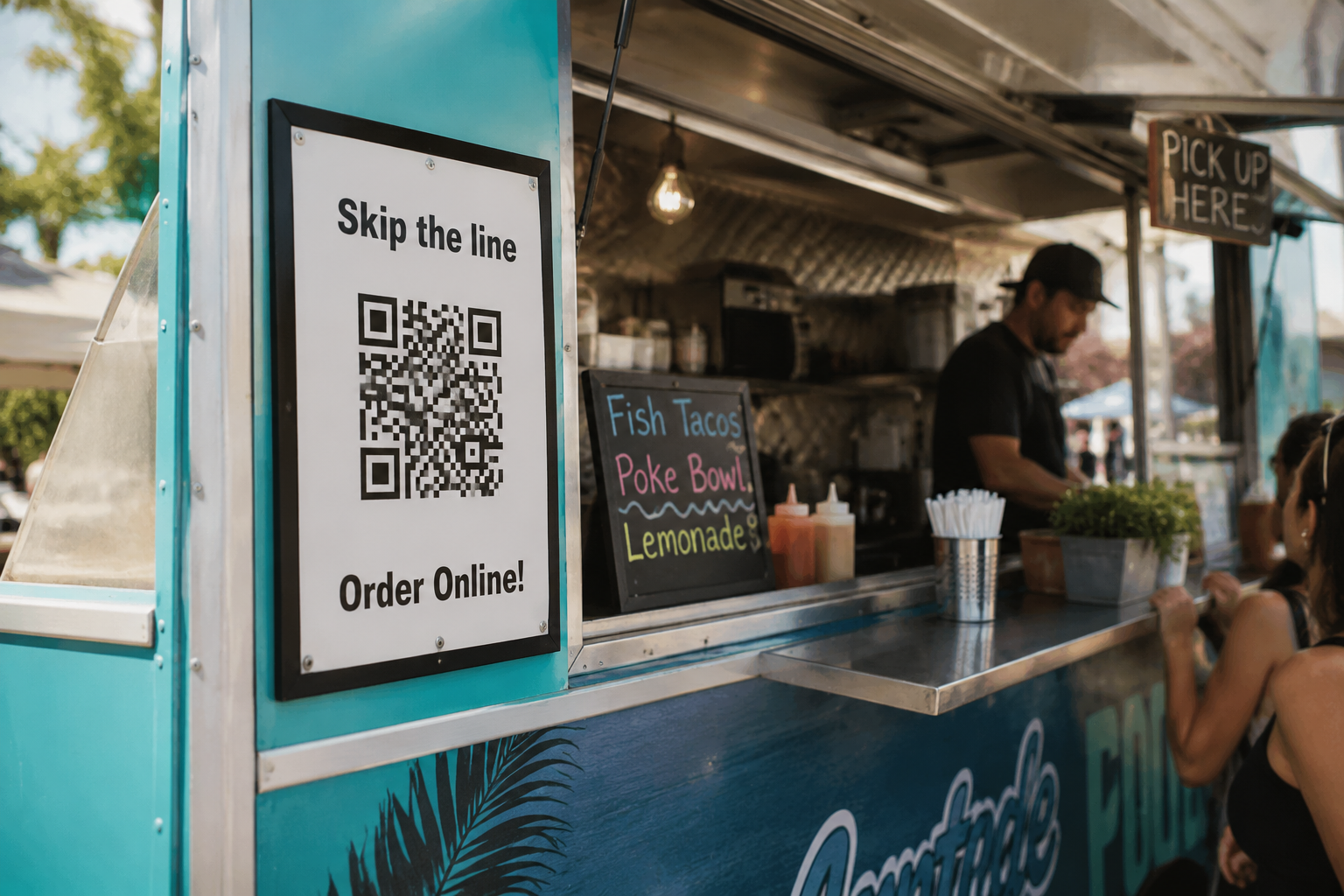
Place the provided QR code at your truck or booth so lines move faster - "Skip the line, order online!"
-
Kitchen display (KDS)
Digital tickets arrive and alert you as orders are placed. Dynamic displays to keep tickets organized.
Learn more → -
Customer SMS updates
Automatic texts let customers know when order is received, cooking,a nd ready for pickup.
-
Point of Sale (POS)
Add integrated point-of-sale and card reader for the complete platform experience.
Learn more →
Product preview
See FoodOrderz in action
A look at how FoodOrderz supports ordering, kitchen workflow, and point-of-sale inside a food truck.
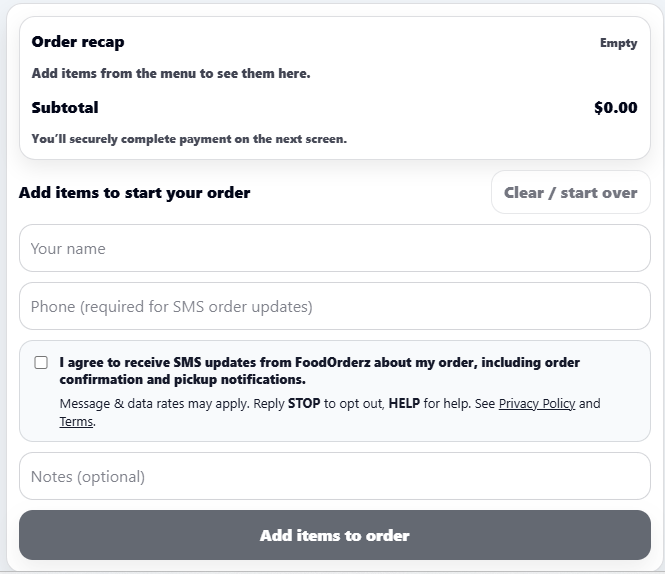
Customer Ordering
Mobile menu and checkout flow
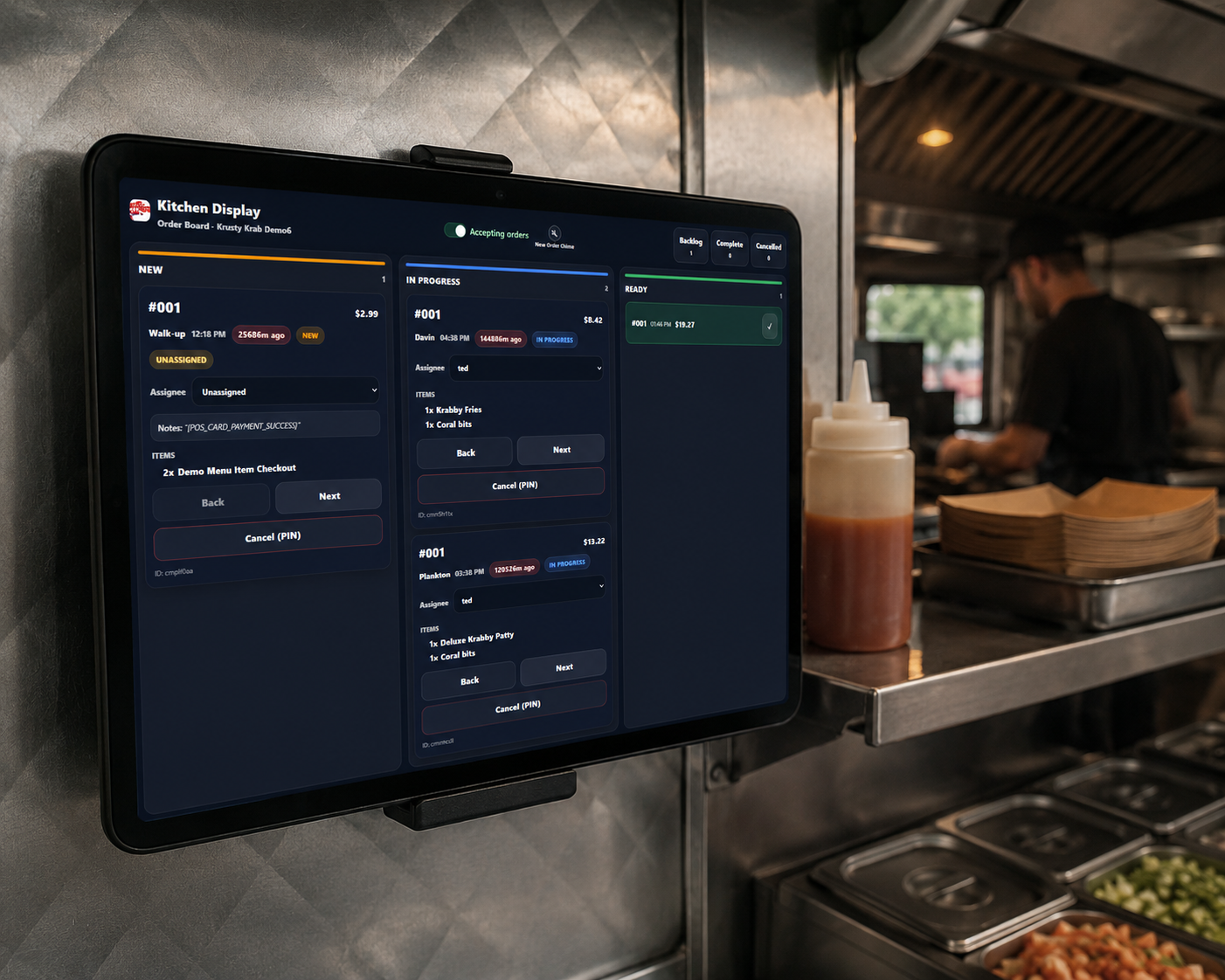
Kitchen Display (KDS)
Ticket queue for the kitchen
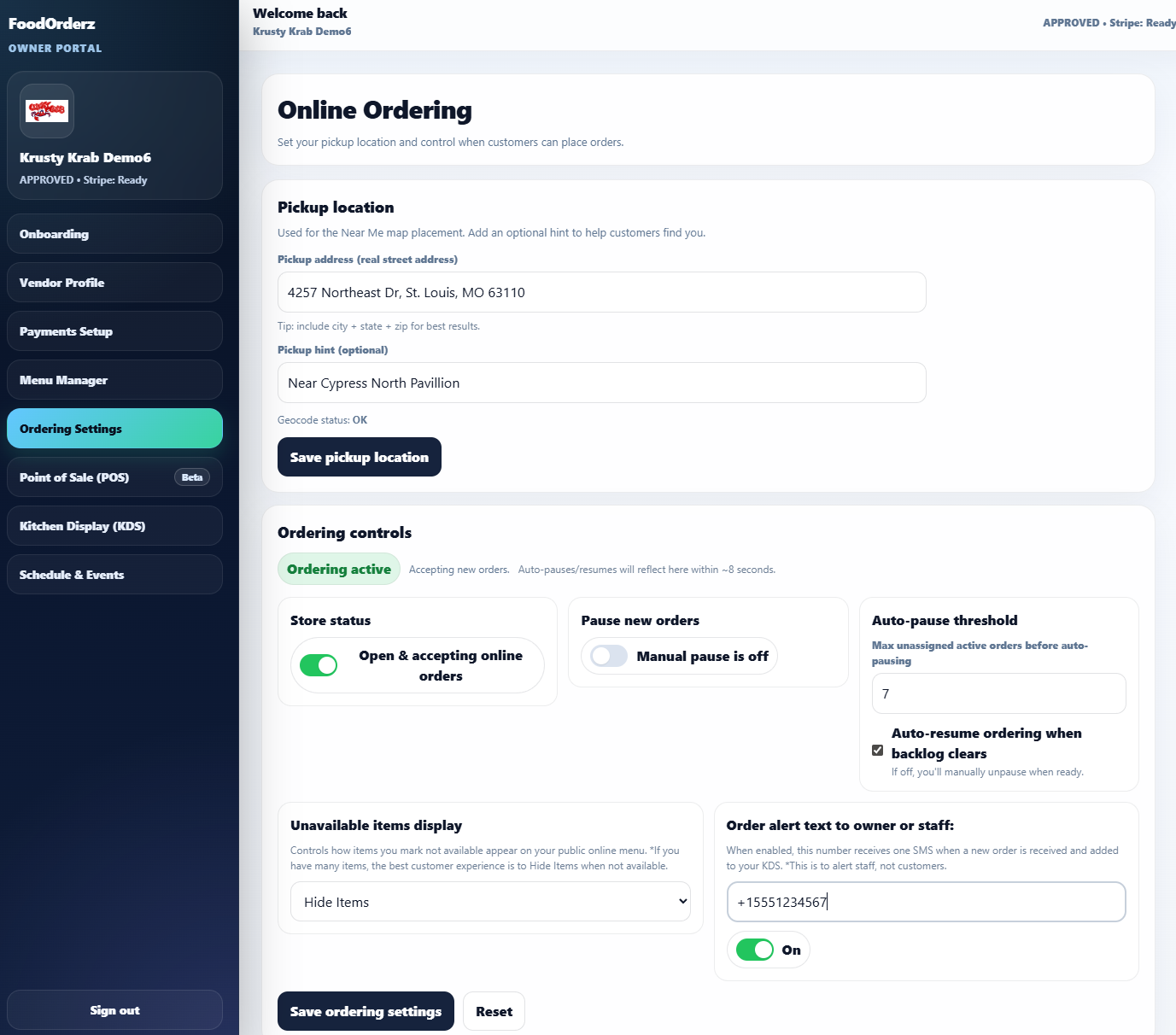
Vendor Controls
Real time order settings
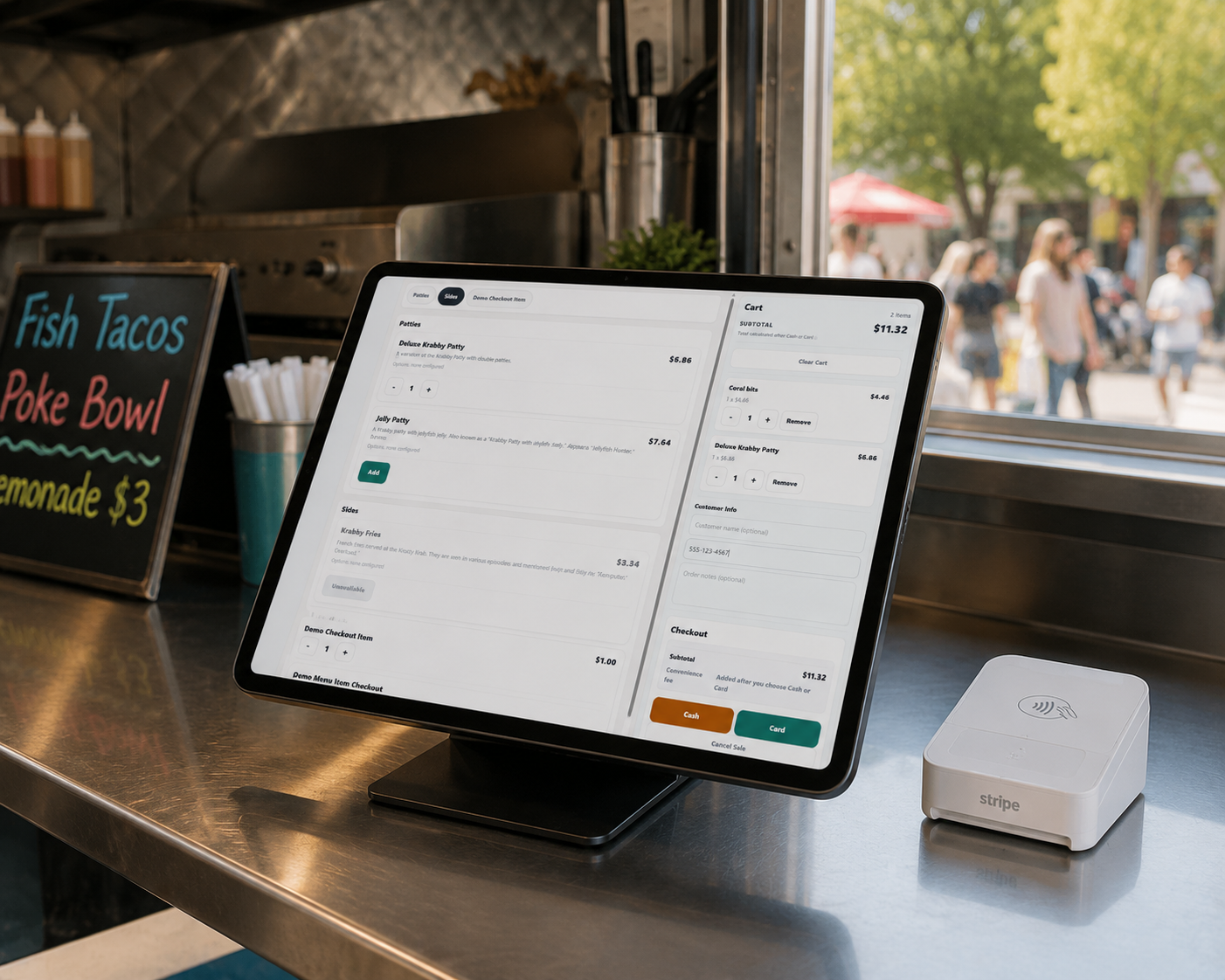
POS
In-person payments (optional)
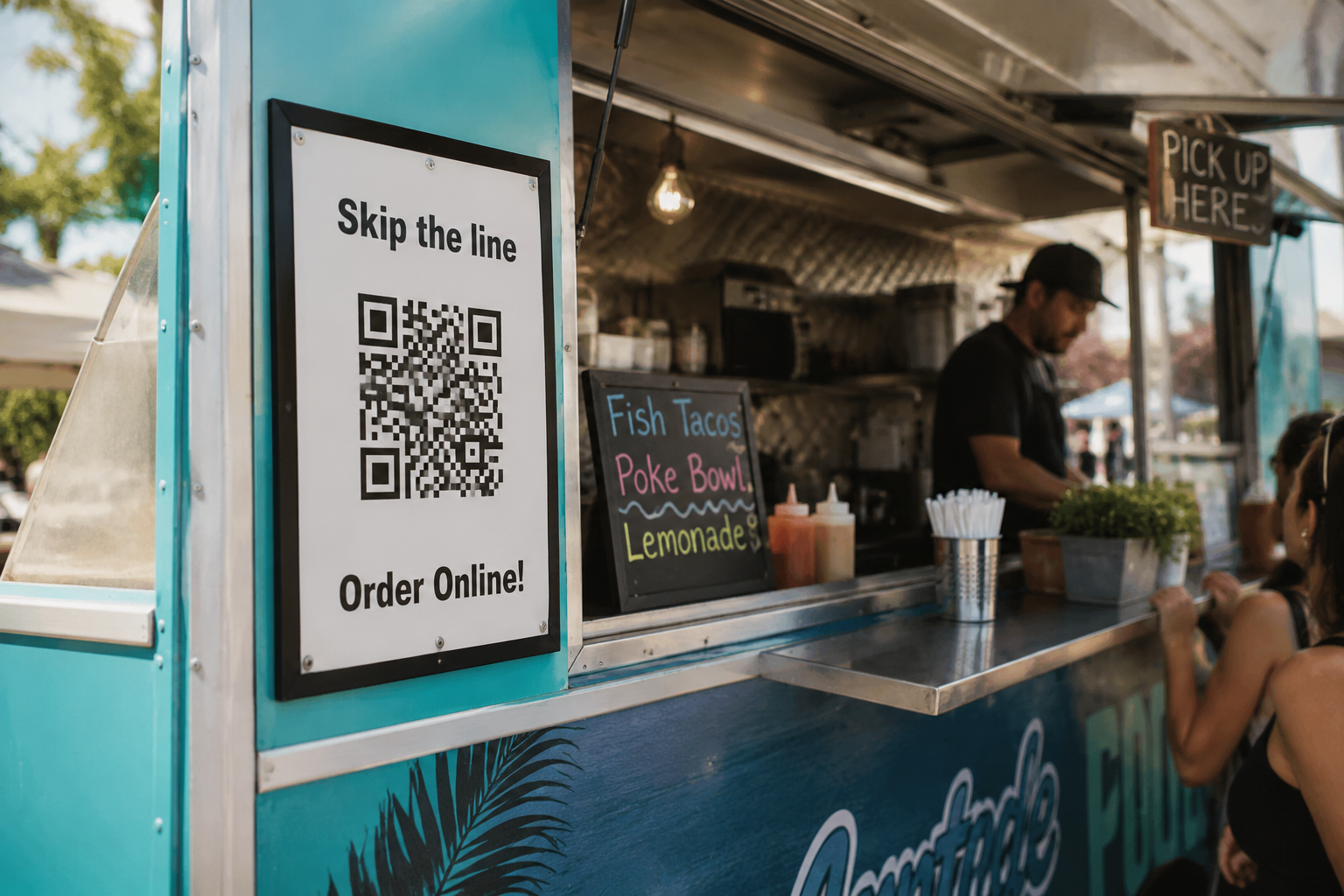
QR Ordering
Scan-to-order at the truck
Equipment & setup
It's easy to get started!
Load the kitchen display on any tablet or computer monitor. Run the optional POS on a tablet with compatible card reader from FoodOrderz.
- Step 1
Onboarding
Create your business profile & menu, connect your accounts, choose your settings.
- Step 2
Go-live
Post your menu on website, socials, and signage. Setup your KDS to receive and complete food orders.
- Step 3
Add optional POS
Add a tablet & compatible card reader to run the point of sale for in-person orders.
Pricing
NO monthly subscriptions, contracts, or bills!
How? Most ordering providers charge monthly fees whether you're busy or not. FoodOrderz doesn't. Vendors pay no monthly subscriptions or platform fees. Use it a little, a lot, or shut down for the winter — you'll never receive a monthly bill!
Included at No Monthly Cost
- Online Ordering
- Kitchen Display System
- Customer SMS Updates
- Vendor Dashboard
- POS Features
- and more
How does FoodOrderz make money?
Customers pay a small convenience fee on orders. Vendors don't have to raise menu prices to cover software subscriptions, while the fee helps support platform operations, SMS messaging, and continued product development.
That means vendors can focus on growing their business without another monthly payment.
Zero risk to try — and keep using as long as you'd like.
- No contracts
- No subscriptions
- No monthly bills
No monthly subscriptions, no hidden fees, no surprises. Try it out for a while and give us your feedback!
Comparison
Why FoodOrderz Is Different
Most food truck software adds monthly fees, hardware costs, or contracts before you know if it fits your workflow. FoodOrderz is designed to be easier to try and easier to keep.
| Feature | Typical POS + Online Ordering | FoodOrderz |
|---|---|---|
| Monthly subscription | $30–$199/month | $0 |
| Online ordering | Often extra cost | Included |
| Kitchen display system | Often extra cost | Included |
| Customer SMS updates | Often extra cost | Included |
| Seasonal shutdown | Usually still billed | $0 monthly bill |
| Long-term contract | Sometimes required | No contract |
| Startup cost | Often hundreds | Minimal |
| Customer app required | Sometimes | No customer app required |
| Vendor feedback drives development | Rarely | Yes |
-
Monthly subscription
Typical POS + Online Ordering
$30–$199/month
FoodOrderz
$0
-
Online ordering
Typical POS + Online Ordering
Often extra cost
FoodOrderz
Included
-
Kitchen display system
Typical POS + Online Ordering
Often extra cost
FoodOrderz
Included
-
Customer SMS updates
Typical POS + Online Ordering
Often extra cost
FoodOrderz
Included
-
Seasonal shutdown
Typical POS + Online Ordering
Usually still billed
FoodOrderz
$0 monthly bill
-
Long-term contract
Typical POS + Online Ordering
Sometimes required
FoodOrderz
No contract
-
Startup cost
Typical POS + Online Ordering
Often hundreds
FoodOrderz
Minimal
-
Customer app required
Typical POS + Online Ordering
Sometimes
FoodOrderz
No customer app required
-
Vendor feedback drives development
Typical POS + Online Ordering
Rarely
FoodOrderz
Yes
FAQ
Common questions
Do customers need an app?
No. Customers order from a mobile-friendly web page using a link or QR code. There is nothing to download from an app store.
What hardware is required?
You can start with a tablet or computer to run the KDS ticket screen for orders you receive. A supported Stripe card reader is required if you choose to use the POS which is designed to run on an Android tablet.
Can I use my own tablet?
Yes. Most vendors use an existing iPad or Android tablet for the KDS ticket screen. An Android tablet is required for the POS. If you use Android, you could use the same tablet for both, however it is recommended to keep them separate for best experience.
Does FoodOrderz include payment processing?
Yes - we use secure payments through Stripe for online and in-person payments.
How long does setup take?
Onboarding is quick and easy. Create your user account, connect your accounts to get paid, create your menu, add your links and QR code to signage and social media, start accepting orders!.
Can I use FoodOrderz for events and festivals?
Yes - our features are designed with mobility and flexibility in mind. Update your location, online order throttling, and menu item availability in real time.
Ready to serve more customers during rush?
See how FoodOrderz fits your truck or mobile setup. We'll walk you through online ordering, kitchen display, and optional POS.